
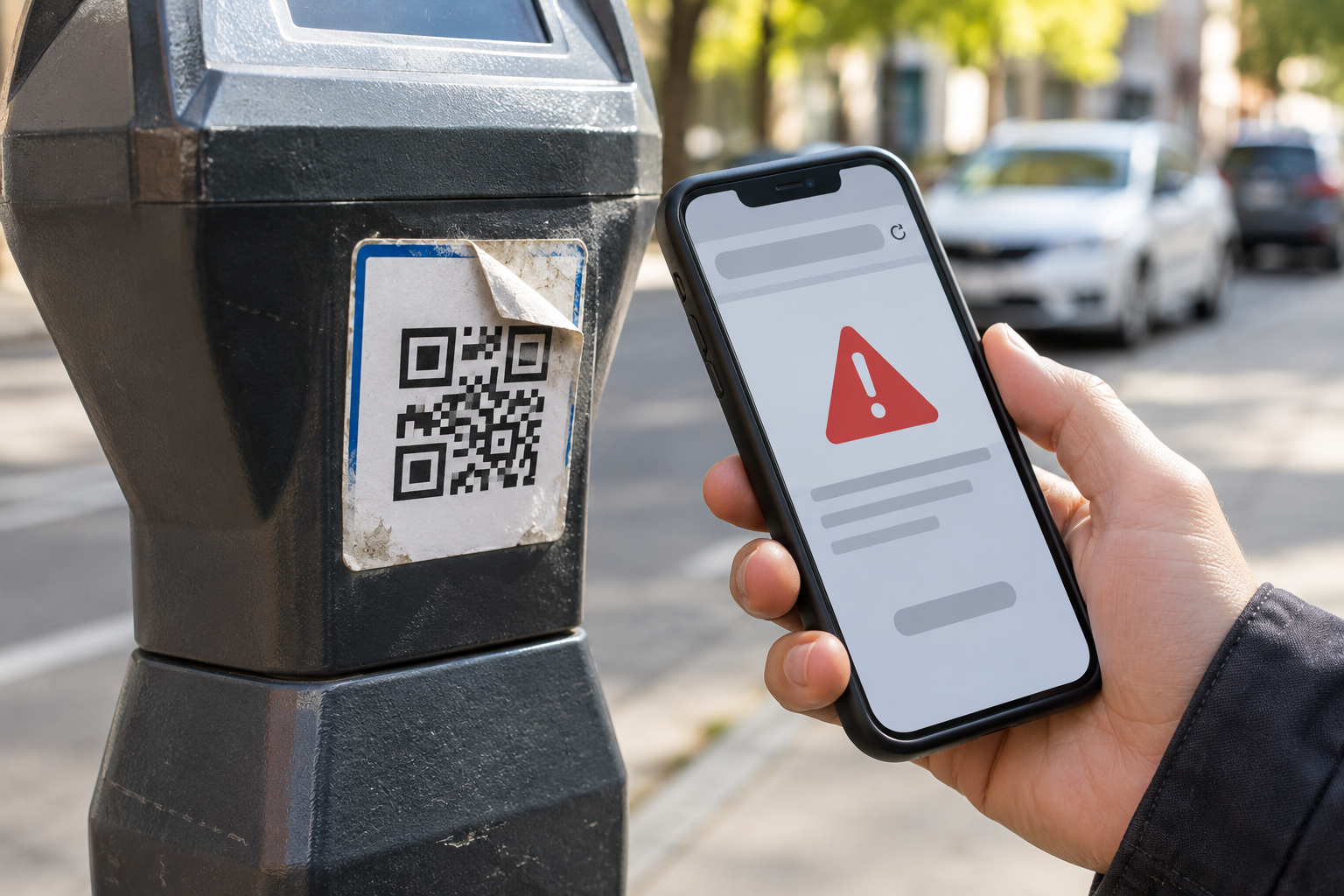
A QR code on a parking meter can be convenient. It can also send you to a fake payment page. Before you pay, check the code for signs of tampering, confirm the parking operator through an independent source, and make sure the payment method matches the instructions for that location. If anything feels off, use the meter or another verified payment option instead.
This is not a reason to avoid every QR code. It’s a reason to treat a code on a public sign as a link you haven’t verified yet.
Why parking QR codes attract scammers
A QR code is simply a way to encode information, often a web address. It doesn’t certify who owns the destination. Someone can print a new code and place it over a legitimate one. The Federal Trade Commission warns about fake codes covering parking-meter codes and leading to imitation websites that collect personal or financial information.
The Better Business Bureau has also described complaints involving unexpected charges and payment pages that didn’t actually pay for parking. A card charge by itself is not proof that the parking operator received your payment.
Five checks before you pay
1. Look for a sticker covering another code
Inspect the sign or meter without peeling anything off. A crooked sticker, mismatched printing, or a code layered over another code deserves extra caution. A professionally printed sign isn’t proof of legitimacy either: scammers can make convincing graphics.
2. Find the operator independently
Read the parking sign for the operator’s name, zone number, accepted payment methods, and any official app. Rather than trusting a web address supplied by the QR code, look up the operator through a known official website or use the payment method listed on the meter. At an unfamiliar lot, ask an attendant or the property manager using contact details you can independently verify.
3. Preview the link without opening it
Most phone cameras show a link preview. Read the domain carefully before tapping. Watch for swapped letters, extra words, strange domains, and shortened links that conceal the destination. The FBI’s Internet Crime Complaint Center recommends checking for tampering and verifying the destination before entering payment details.
A padlock or HTTPS connection means the connection is encrypted. It does not prove that the business is genuine. Likewise, a domain that looks close to a familiar name may still belong to somebody else.
4. Match the payment details to the parking space
Before entering card information, compare the lot name, zone number, license plate, parking duration, price, and operator against the physical sign. A page that asks for unrelated subscriptions, account passwords, or unusual personal details is a reason to stop. A legitimate parking service may request a plate number and payment card, so the issue is whether the request fits the verified operator and transaction.
5. Confirm the parking session, not just the charge
Keep the confirmation number or receipt from the verified parking system. If the service provides an app or account, check that the correct vehicle, zone, and time appear. Don’t assume the space is paid merely because a payment screen said “success.” If you can’t confirm payment, contact the operator through an independently verified channel.
What if you already scanned a suspicious code?
Your next action depends on what happened. Scanning and viewing a link preview is different from entering a password or paying a fake merchant.
You only scanned or opened the page
Close it without entering information. Don’t install an app or grant permissions prompted by the page. Keep your phone and apps updated. If something downloaded or installed unexpectedly, remove the suspicious app and follow your device maker’s security guidance. The U.S. Postal Inspection Service describes this type of QR-code phishing as “quishing.”
You entered a password
Open the real service through its trusted app or a manually entered address and change that password. If you reused it elsewhere, change those accounts too. Enable multi-factor authentication where offered, and review recent sign-ins or account changes.
You entered card information or paid
Contact the card issuer promptly using the number on your card or its official app. Explain that you may have used a fraudulent parking-payment page, ask about replacing the card or monitoring transactions, and dispute unauthorized charges through the issuer’s process. Keep screenshots, receipts, the suspicious address, and the location and time of the incident. Report suspected fraud to ReportFraud.ftc.gov or the FBI Internet Crime Complaint Center. You may also need to pay for parking through the real operator to avoid an unpaid-session problem.
GO, INVESTIGATE, or WALK AWAY
GO: The operator is independently verified, the destination matches its official instructions, the amount and zone are correct, and you can confirm the session.
INVESTIGATE: The code looks altered, the link is unfamiliar, or the operator and zone details don’t match. Stop and verify through a different channel.
WALK AWAY: The page asks for unrelated credentials, redirects to a suspicious subscription, pressures you to install software, or you cannot verify who will receive the payment. Use another legitimate payment method or another parking location.
The 30-second parking payment habit
Before tapping a parking QR code, ask three questions: Who operates this space? Does this link belong to that operator? Can I verify the parking session afterward? That small pause is more useful than trying to memorize every possible scam design.
For another everyday purchase where a few checks can prevent an expensive mistake, see JTWGCO’s used-phone buying checklist. The situations differ, but the same principle applies: verify the important claims before money changes hands.